🎧
Listen Mode
Real-time hearing amplification that captures sound through your device's mic or an external USB microphone like the Hollyland Lark wireless system, then plays it through your earbuds with adjustable amplification that brings quiet voices into a comfortable listening range. Listen Mode works in the background with your phone locked, delivering ultra-low latency of approximately 21 milliseconds so conversations feel natural and immediate. Simply plug in your earbuds, tap start, and hear the world around you more clearly.
📝
Live Captions
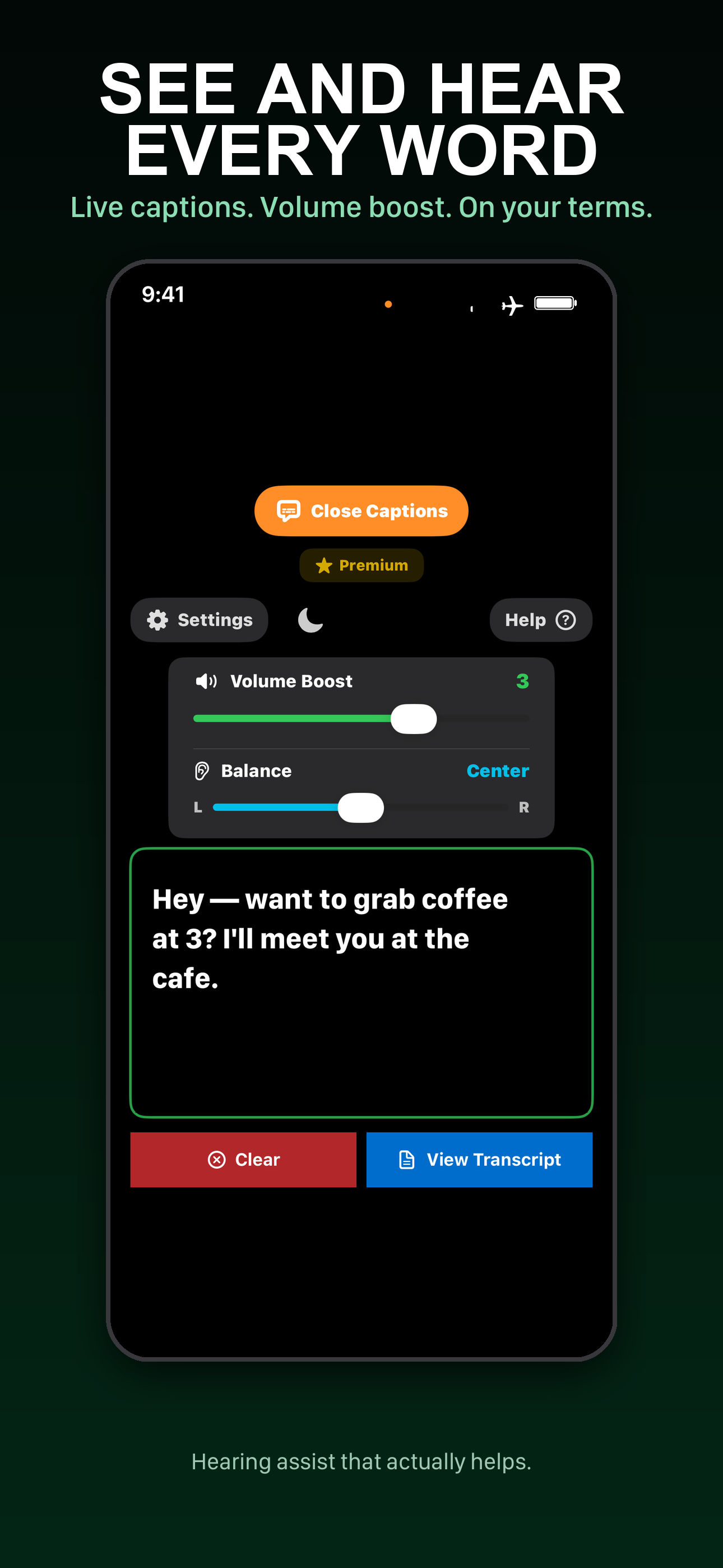
Real-time speech-to-text transcription powered entirely by on-device processing -- your words are never sent to any server. Captions appear on screen with adjustable font sizes and smooth auto-scrolling, so you can follow along effortlessly in lectures, meetings, or one-on-one conversations. Save your transcripts for later review, and use Live Captions across Listen Mode, Conversation Mode, and Translation Mode for a consistent captioning experience everywhere.
🌍
Translation Mode
Real-time speech translation between 19 languages: English, Spanish, French, German, Italian, Portuguese, Japanese, Korean, Chinese, Arabic, Russian, Turkish, Dutch, Hindi, Indonesian, Polish, Thai, Ukrainian, and Vietnamese. All translation runs on-device using the Apple Translation framework -- download language packs once and use them offline anywhere without an internet connection. Swap between source and target languages with a single tap, and hear translations spoken aloud with built-in text-to-speech playback. Requires iOS 26+.
🎓
Lecture Mode
Built for one person speaking for a long stretch: a class, a conference talk, a service, or a guided tour. Connect an external microphone, aim it at the speaker, and tap Lecture Mode on the Live Translation screen. Captions commit continuously instead of waiting for the speaker to pause, so a forty-minute talk does not leave you behind. Add earbuds and the translation is read aloud to you while the speaker is still talking. It runs on-device like everything else in OndaHear, so a lecture abroad is translated with the phone in airplane mode, and nothing said in the room ever leaves your device. Requires iOS 26+.
💬
Conversation Mode
Connect two iPhone devices for seamless two-way voice communication with real-time translation in both directions. Devices discover each other automatically using your custom device name, so you always know who you're connecting to. The other person's translated speech is spoken aloud in your chosen language as they speak -- clean synthesized voice that's easier to follow than compressed call audio -- and translated captions also appear on screen so you can read along. Each person picks their own language, and the app translates between them using English as a common bridge, all on-device. Supports all 19 translation languages. Perfect for noisy restaurants, cross-language conversations, or any situation where you need extra help hearing clearly.
💬
Text Chat Mode
Push-to-talk messaging between two iPhone devices with built-in translation. Press and hold to speak -- your voice is converted to text and automatically translated to the other person's language before sending. On the receiving side, the message appears in the chat and is also read aloud in the listener's chosen language, with a per-message play button to hear your original voice if they want to. Each device picks its own language, and all translation happens on-device using English as a common bridge format. Great for quiet environments, cross-language communication, or when voice conversation isn't practical.
📡
Transmit / Broadcast Mode
One phone broadcasts amplified audio to multiple listeners at once, making it ideal for tour guides, classrooms, religious services, conferences, and group events. Listeners connect with their own phones and earbuds to receive clear, amplified audio from the presenter without any special hardware. Broadcast Mode is always free -- no subscription required -- so anyone can set up an accessible listening experience for a group of any size.
⌚
Apple Watch App
The Apple Watch app shows live captions right on your wrist, so you can read what's being said with a glance. It also keeps the two most-used Listen controls there: start/stop and Volume Boost. Quick taps to start or stop a session, or to bump the amplification up or down — without pulling your phone out of your pocket.
🩺
Hearing Test
Take a built-in audiogram-style hearing assessment right on your device. The test measures your hearing sensitivity across multiple frequencies in each ear individually, then generates a detailed hearing profile. Apply your results directly to the equalizer and save them as your Custom EQ preset so you can switch back to your personalized settings anytime with a single tap -- no audiologist visit required. Hearing Test is a premium feature available with any OndaHear subscription.
🎛️
EQ & Hearing Profiles
Fine-tune your listening experience with a 10-band parametric equalizer. Choose from scene-based presets including TV, Restaurant, and Lecture -- each optimized for that environment -- or create and save your own custom profiles tailored to your hearing needs. The Hearing Test can save results directly to your Custom preset for one-tap access to your personalized settings. Share profiles with other OndaHear users so family members or caregivers can help dial in the perfect settings for you.
💾
Transcript Saving & Export
Save any conversation with a custom title and browse your transcript history organized by date. Every transcript is stored locally on your device for complete privacy. Export transcripts to share with doctors, colleagues, or family members -- perfect for keeping a record of medical appointments, lectures, or important meetings you want to revisit later.
🎤
External USB Mic Support
OndaHear automatically detects external USB microphones like the Hollyland Lark, RODE Wireless GO, and other USB audio devices, prioritizing them over the built-in device mic for superior audio pickup. Using an external mic also enables speaker output without feedback loops, making it possible to amplify sound through the phone's speakers instead of earbuds. Just plug in your USB mic and OndaHear switches to it instantly.
🛡️
Hearing Protection
OndaHear monitors for audio feedback in real-time and automatically stops the session if it detects a feedback loop -- protecting your ears before you even notice it. If your earbuds disconnect unexpectedly or your external microphone is removed mid-session, the app stops immediately instead of blasting audio through the speaker. Clear on-screen messages explain what happened and how to fix it.
🔒
100% Private
Every bit of audio processing, speech recognition, and translation happens entirely on your device. No audio, transcripts, or personal data ever leaves your device -- there are no cloud servers, no analytics, and no tracking whatsoever. OndaHear is built from the ground up with privacy as a core principle, so you can use it with complete confidence that your conversations remain yours alone.